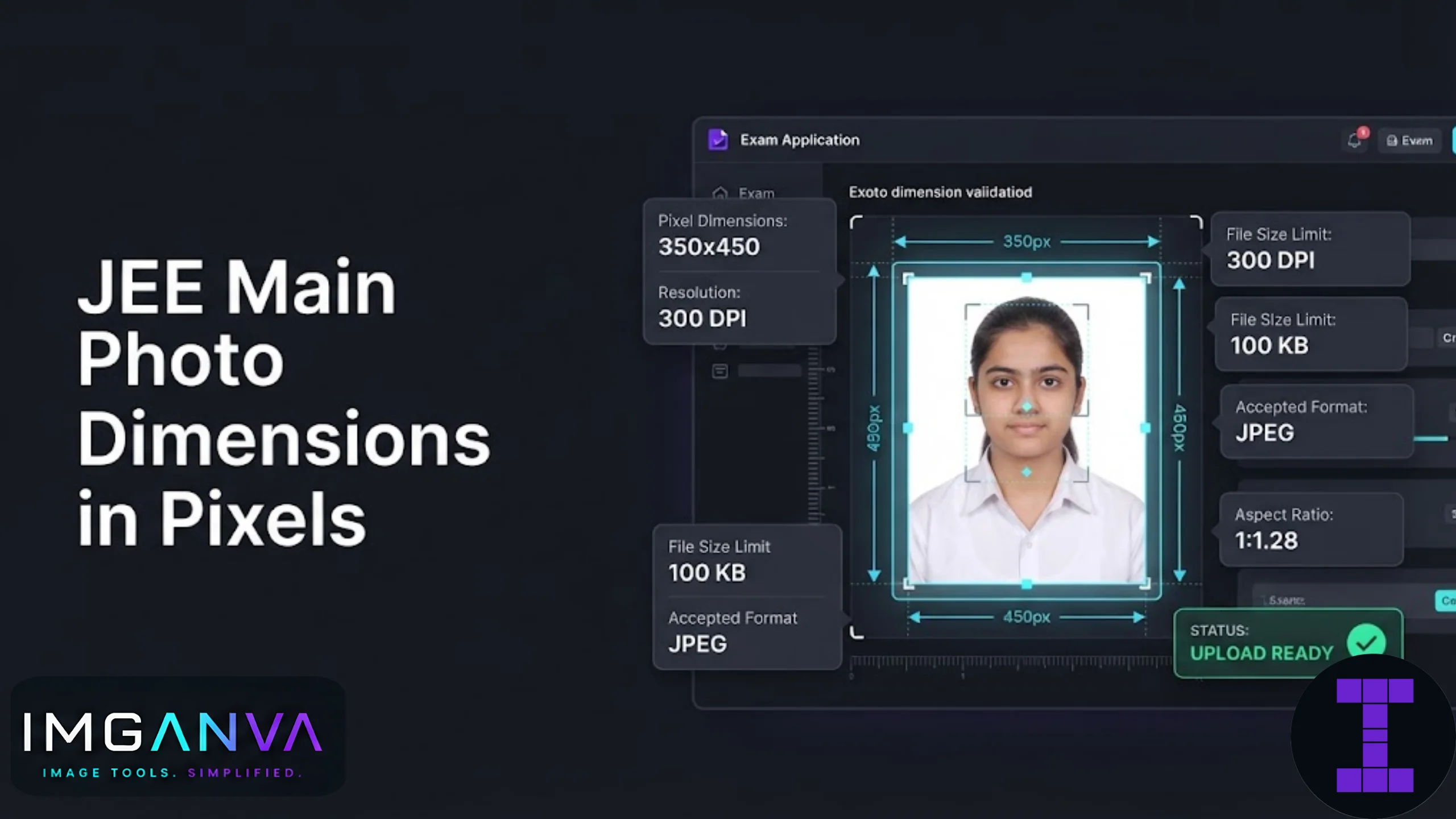

NTA does not publish an official pixel size for the JEE Main photograph. It publishes a physical size in centimeters and a file size range in KB. That single fact confuses more candidates than any other part of the upload process, because most people search for “JEE Main photo dimensions pixels” expecting a fixed number like 200×230 and instead find conflicting numbers across different websites.
Here is the short version: the official requirement is 3.5 cm x 4.5 cm for the photograph, 10 KB to 200 KB in file size, JPG or JPEG format only, plain white background, face covering roughly 80% of the frame with both ears visible. The signature must be 3.5 cm x 1.5 cm, 10 KB to 100 KB, same format rules.
Pixels only come into the picture because most people edit photos on a screen, not with a ruler. This guide converts the cm requirement into exact pixel values you can actually use, and shows how to hit the KB limit without the upload getting rejected.
Key Takeaways
- NTA specifies photo size in cm and KB, not pixels. Pixel values below are conversions, not official NTA numbers.
- Photograph: 3.5 cm x 4.5 cm, 10 KB to 200 KB, JPG/JPEG, white background.
- Signature: 3.5 cm x 1.5 cm, 10 KB to 100 KB, JPG/JPEG.
- At 100 DPI, 3.5 x 4.5 cm converts to roughly 138 x 177 pixels. At 200 DPI it’s about 276 x 354 pixels.
- Most portals accept a slightly larger pixel image as long as the KB and format rules are met, since the portal crops to the cm ratio on its own.
- Always verify current-cycle numbers on jeemain.nta.nic.in before final submission, since NTA has revised these limits between sessions before.
JEE Main Photo Requirements 2026: The Official Numbers
| Requirement | Photograph | Signature |
|---|---|---|
| Physical size | 3.5 cm x 4.5 cm | 3.5 cm x 1.5 cm |
| File size | 10 KB to 200 KB | 10 KB to 100 KB |
| Format | JPG / JPEG only | JPG / JPEG only |
| Background | Plain white | Plain white paper |
| Other rules | Face covers ~80% of frame, both ears visible, no filters, no name/date printed | Handwritten in running style with black or blue ink, no block letters or typed text |
Note that the photo file size ceiling was brought down from 300 KB to 200 KB for the current cycle, while the signature ceiling went up from 50 KB to 100 KB. NTA changes these numbers between application cycles, so treat any number you read anywhere, including here, as something worth double checking against the current information bulletin before you submit.
Converting 3.5 x 4.5 cm to Pixels
Pixel dimensions depend entirely on the DPI (dots per inch) setting used to save the image. Since NTA does not fix a DPI, you have some flexibility, but staying inside a normal range keeps the photo sharp without ballooning the file size past 200 KB.
| DPI | Photo (3.5 x 4.5 cm) in pixels | Signature (3.5 x 1.5 cm) in pixels |
|---|---|---|
| 96 DPI (screen standard) | 132 x 170 px | 132 x 57 px |
| 100 DPI | 138 x 177 px | 138 x 59 px |
| 150 DPI | 207 x 266 px | 207 x 89 px |
| 200 DPI (print quality) | 276 x 354 px | 276 x 118 px |
| 300 DPI (high print quality) | 413 x 531 px | 413 x 177 px |
If you just need a working number and don’t want to think about DPI, 350 x 450 pixels for the photograph and 350 x 150 pixels for the signature is a commonly used approximation that sits comfortably inside NTA’s cm requirement without needing precise DPI math. It’s not an official figure, but it’s close enough that portals accept it in practice, and it downsizes cleanly to fit under 200 KB.
Step-by-Step: Getting the Exact Size
- Start with a clear, front-facing photo against a plain white wall or backdrop. Avoid shadows falling on the background.
- Crop to a 3.5:4.5 ratio before resizing. Cropping first prevents the face from being stretched or squeezed when you set final pixel dimensions.
- Resize to your target pixels (350 x 450 is a safe default) using the Image Resizer. Set exact width and height rather than using a percentage scale, since exam portals check the aspect ratio strictly.
- Check the file size. If it’s above 200 KB, run it through the Image Compressor to bring it down without visibly degrading quality. If it’s under 10 KB, the image quality is likely too low and it may get flagged during physical verification, even if the portal accepts the upload.
- Rename the file as instructed, typically “Photograph” and “Signature” for the two uploads.
- Upload and preview. Most NTA portals show a preview before final submission. Check that the crop looks correct and the face isn’t cut off at the edges.
For the signature specifically, the same resize-then-compress order works, but keep in mind it needs to be a scanned or photographed handwritten signature on white paper, not a typed or digitally drawn one.
Common Mistakes Candidates Make
- Assuming a fixed pixel number is official. Different coaching and exam-prep sites quote different pixel figures because they’re all converting the same cm value at different DPI assumptions. None of them are wrong exactly, but none of them are the “real” NTA number either, because NTA doesn’t have one.
- Resizing without cropping first. This stretches the face horizontally or vertically to force the aspect ratio, which usually gets rejected at physical verification even when the upload succeeds.
- Compressing too aggressively to hit the KB minimum comfortably. A photo compressed hard enough to sit at 15-20 KB can look blurry on the admit card. Aim for the middle of the range, not the edges.
- Uploading a photo with a printed name or date stamp. Several sources confirm this is explicitly disallowed for the current cycle, unlike some older exam cycles.
- Reusing an old passport-size photo without checking the KB size. A physical passport photo scanned at high DPI can easily exceed 200 KB even though it looks like the right physical size.
Photo vs Signature: Quick Reference
| Aspect | Photograph | Signature |
|---|---|---|
| Content | Recent color photo, plain white background | Handwritten signature on plain white paper |
| Size (cm) | 3.5 x 4.5 | 3.5 x 1.5 |
| Size (KB) | 10-200 | 10-100 |
| Common pixel equivalent | ~350 x 450 px | ~350 x 150 px |
| Best tool step | Resize, then compress if needed | Resize, then compress if needed |
This same cm-to-pixel confusion shows up across most Indian exam and application portals, not just JEE Main. If you’re preparing photos for other exams alongside JEE Main, the Photo Size Requirements for Exams & Applications 2026 guide covers the pattern across UPSC, SSC, IBPS, and other portals so you’re not solving this from scratch for every application.
Where to Verify Current Requirements
NTA has adjusted the photo and signature KB limits between recent cycles, and the deadline structure around photo correction windows has also changed. Before your final submission, cross-check the current information bulletin on the official JEE Main website rather than relying on any single third-party source, including this one. Requirements published in one session don’t always carry over unchanged to the next.
Frequently Asked Questions
What are the exact pixel dimensions for a JEE Main photo?
NTA does not specify pixels directly. It requires 3.5 cm x 4.5 cm, which converts to roughly 138 x 177 pixels at 100 DPI or 350 x 450 pixels as a commonly used practical size.
Can I upload a photo larger than 350 x 450 pixels?
Usually yes, as long as the file size stays within 10 KB to 200 KB and the aspect ratio is close to 3.5:4.5. The portal typically crops or scales it during processing.
Why does my JEE Main photo keep getting rejected?
The most common reasons are file size outside the 10-200 KB range, a non-white background, incorrect aspect ratio from resizing without cropping first, or a printed name or date on the photo.
What DPI should I use for the JEE Main photo?
There’s no fixed requirement. 100 to 150 DPI gives a sharp result at a reasonable file size for a 3.5 x 4.5 cm photo.
Is the JEE Main signature size different from the photo size?
Yes. The signature must be 3.5 cm x 1.5 cm and 10 KB to 100 KB, while the photograph is 3.5 cm x 4.5 cm and 10 KB to 200 KB.
Can I use my passport photo for JEE Main?
You can use a similarly styled photo, but check the file size carefully. A scanned passport photo is often larger than 200 KB and will need compressing.
Does the JEE Main photo need a specific background color?
Yes, a plain white background is required. Colored, patterned, or shadowed backgrounds can lead to rejection during verification.
What happens if my photo is under 10 KB?
The portal may reject the upload outright, and even if it doesn’t, an image that small is usually too low quality to pass physical verification at the exam center.
Can I use the same photo for JEE Main and JEE Advanced?
Generally yes, provided it meets both portals’ size and format requirements, though JEE Advanced sometimes uses different pixel or KB limits, so check both bulletins separately.
How do I resize a photo to 3.5×4.5 cm without distorting the face?
Crop the photo to the correct aspect ratio first, then resize to your target pixel dimensions, rather than stretching an already-cropped image to fit.
Summary
NTA’s actual requirement for JEE Main is 3.5 cm x 4.5 cm at 10-200 KB for the photo, and 3.5 cm x 1.5 cm at 10-100 KB for the signature, both in JPG or JPEG. Pixel numbers you see quoted online are conversions, not official figures, and 350 x 450 pixels for the photo works as a safe practical target. Crop to the right ratio before resizing, keep the file size in the middle of the allowed range rather than at the edges, and confirm the current cycle’s numbers on the official NTA bulletin before you submit.