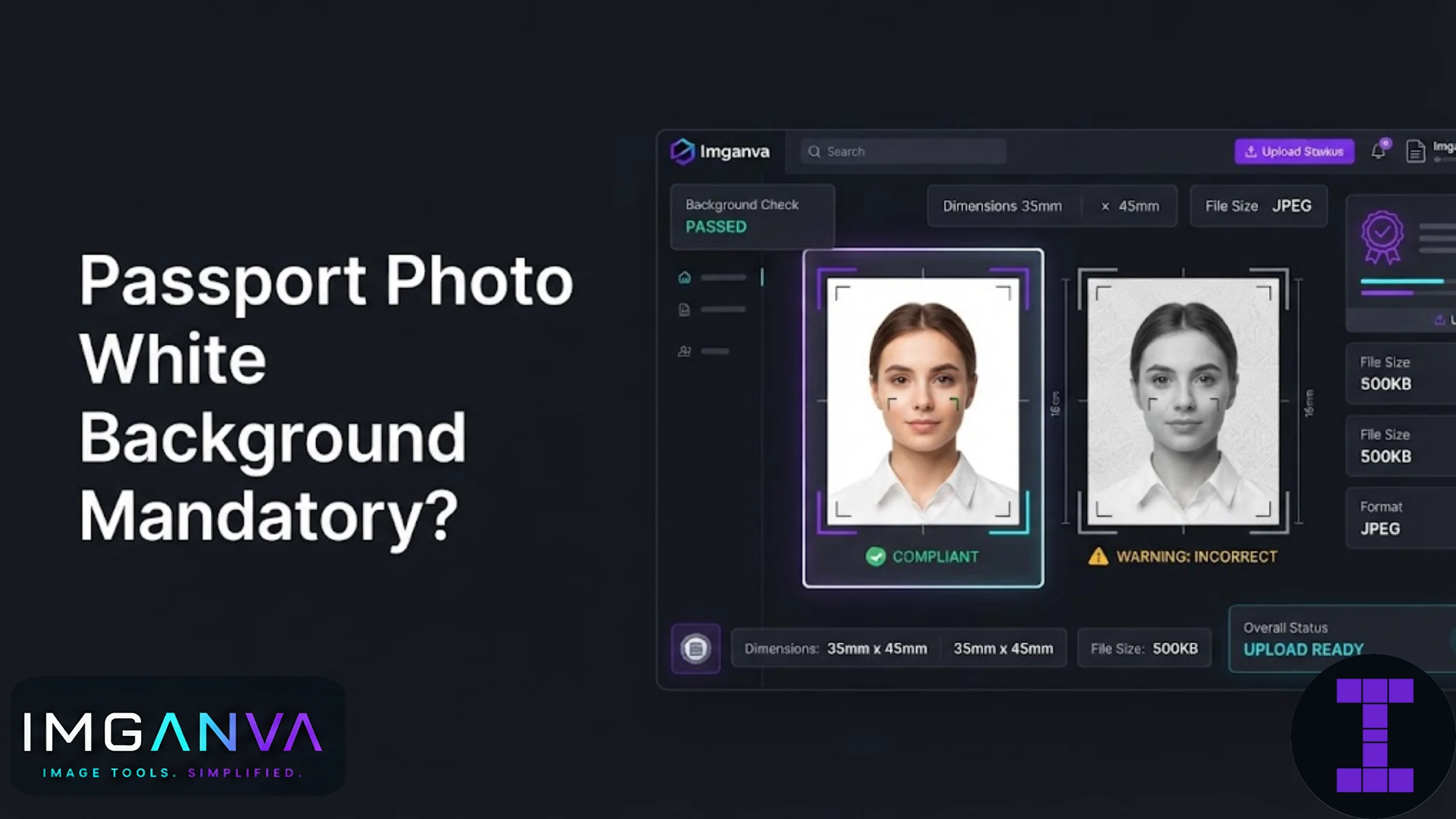

If you’re preparing a photo for a passport application, exam form, or government portal, you’ve probably run into a line that says the background must be white. It sounds simple until you actually try to take the photo and realize your wall isn’t quite white, your lighting throws a shadow, or the portal keeps rejecting your upload for “background not plain.”
Here’s the short version: yes, a white background is mandatory for Indian passport photos, and many exam and application portals carry the same requirement, though a few allow light or off-white shades instead. Getting this wrong is one of the most common reasons photo uploads get rejected.
Key Takeaways
- Indian passport photos require a plain white background with no shadows, patterns, or objects visible.
- Many exam portals (UPSC, SSC, IBPS, NTA) also mandate white or light-colored backgrounds, though exact wording varies by notification.
- Shadows on the wall behind you count as a background issue, not just the wall color itself.
- A photo editor can replace or clean up the background without needing a professional studio.
- Always check the specific bulletin for your exam or portal since some allow light grey or cream backgrounds instead of pure white.
Why Portals Insist on a White Background
A plain white background isn’t just a formality. It exists so that facial recognition systems, manual verification staff, and printing processes can all read the photo consistently. Busy backgrounds, shadows, or colored walls interfere with automated face detection tools used by passport and exam authorities, and they make manual verification slower and more error-prone.
For passport photos specifically, the Ministry of External Affairs’ Passport Seva guidelines call for a plain light or white background with no borders, patterns, or other people visible in frame. Exam bodies tend to follow a similar logic, though the exact phrasing in their notifications can differ slightly between “white background” and “light background.”
| Portal Type | Background Requirement | Notes |
|---|---|---|
| Indian Passport (Passport Seva) | Plain white or light-colored | No patterns, shadows, or other objects in frame |
| UPSC Applications | Light background, usually white | Specific wording checked in each notification |
| SSC Exams | White background typically preferred | Some notifications allow light backgrounds |
| NTA Exams (JEE, NEET) | White background | Strict rejection if background is colored or patterned |
| Visa Applications | White background (varies by country) | Country-specific rules should always be confirmed separately |
The takeaway from this table is straightforward. White is the safest default across almost every use case, and it’s rarely wrong to submit a photo with a pure white background even when a portal technically allows light colors.
What Counts as a “Non-Compliant” Background
Rejections usually happen for reasons that aren’t obvious at first glance. It’s not always about the wall being the wrong color.
- Shadows behind the head or shoulders, usually caused by a light source positioned too close or at the wrong angle.
- Off-white or cream walls that look white to the eye but scan as beige or grey once digitized.
- Visible texture like wallpaper patterns, tiles, or wood paneling peeking around the edges of the frame.
- Uneven lighting that creates a gradient from bright to dim across the background.
- Objects in frame, including furniture edges, door frames, or a second person partially visible.
If you’ve taken the photo against a real wall at home, at least one of these issues is likely present, even if you can’t spot it on your phone screen.
How to Get a Clean White Background
You have two realistic paths here: get the background right at the time of shooting, or fix it afterward with editing.
Option 1: Shoot Against an Actual White Backdrop
- Use a plain white bedsheet, poster board, or wall that’s genuinely white, not cream or beige.
- Position your light source in front of you, not behind, to avoid casting a shadow onto the background.
- Stand at least two feet away from the backdrop so your shadow doesn’t fall directly behind you.
- Take the photo in daylight near a window if possible, since natural light tends to render more evenly than indoor bulbs.
Option 2: Fix the Background Digitally
If your original photo has a slightly off-white or shadowed background, you don’t need to redo the shoot. A background replacement or cleanup through an image resizer combined with basic editing can even out the tone and crop the frame to the correct passport dimensions in one pass.
This is usually faster than reshooting, especially if the rest of the photo (pose, lighting on the face, expression) is already fine and only the background needs correction.
Common Mistakes to Avoid
| Mistake | Why It Causes Rejection |
|---|---|
| Using a cream or beige wall | Reads as non-white during automated scanning |
| Standing too close to the backdrop | Creates a visible shadow outline behind the head |
| Taking the photo under yellow indoor lighting | Casts a warm tint that makes white look off-color |
| Cropping too tightly or too loosely | Fails dimension requirements even if background is fine |
| Ignoring the file size limit after fixing the background | Portal rejects the upload despite a compliant photo |
That last point trips up more people than you’d expect. You can spend an hour getting the perfect white background, then get rejected anyway because the final file is 400KB against a 100KB limit. Once the background and crop are sorted, run the photo through Imganva’s image compressor to bring the file down to whatever KB target your portal specifies, whether that’s 20KB for a signature-style upload or 50KB for a full photo.
Passport Photo vs Exam Photo: Are the Rules the Same?
Mostly yes, but not always identical. Passport photos follow Ministry of External Affairs specifications quite strictly, including exact head positioning and background tone. Exam portals under NTA, UPSC, SSC, and similar bodies publish their own bulletins each cycle, and while white backgrounds are the common thread, dimensions, file size limits, and even acceptable background shades can shift slightly between one exam year and the next.
If you’re preparing a photo for something like NEET UG or JEE Main, it’s worth checking the current year’s official bulletin rather than assuming last year’s specs still apply. Our photo size requirements guide for exams and applications breaks down dimension and file size expectations across the major Indian exam portals.
Quick Reference: Passport Photo Specs (India)
| Attribute | Requirement |
|---|---|
| Background | Plain white or light-colored, no shadows or patterns |
| Photo size | 2 x 2 inches (standard passport format) |
| Face coverage | Face should occupy 70-80% of the frame |
| Expression | Neutral, both eyes open, mouth closed |
| Recency | Taken within the last 6 months |
These are general passport guidelines. Always cross-check against the current Passport Seva instructions before your final submission, since minor updates do happen between application cycles.
Frequently Asked Questions
Is a white background mandatory for passport photos in India?
Yes, Indian passport photos require a plain white or light-colored background with no shadows, patterns, or objects visible in frame.
Can I use an off-white or cream background instead?
It’s risky. Cream and beige can look white to the eye but often scan as non-compliant, so a true white background is the safer choice.
What if my photo has a shadow on the background?
A shadow behind the head or shoulders is treated as a background defect, even if the wall itself is white, and can lead to rejection.
Do exam portals like SSC and UPSC require the same white background as passports?
Most exam notifications ask for a white or light background, but exact wording varies by bulletin, so it’s best to confirm with the current notification.
Can I fix a slightly off-color background without retaking the photo?
Yes, background correction and cropping can usually be done digitally without needing a new photoshoot, as long as the face and lighting are already acceptable.
Why does my white background photo still get rejected sometimes?
Common reasons include file size exceeding the portal’s KB limit, incorrect crop dimensions, or a background that appears white on screen but scans differently once uploaded.
What lighting works best for a white background passport photo?
Natural daylight near a window tends to give the most even, true-white tone compared to indoor yellow-toned bulbs.
Is there a difference between passport and visa photo background rules?
Generally both require white backgrounds, but visa requirements vary by country, so it’s worth checking the specific embassy’s photo guidelines separately.
How far should I stand from the white backdrop?
At least two feet is a good starting distance, since standing too close often creates a visible shadow directly behind you.
Can I use my phone camera for a passport photo with white background?
Yes, a phone camera works fine as long as lighting is even and the backdrop is genuinely white, followed by cropping to the correct dimensions afterward.
Summary
A white background is mandatory for Indian passport photos and expected across most major exam and application portals, though the exact shade tolerance can vary between white and light backgrounds depending on the notification. Most rejections come down to shadows, off-white tones, or lighting rather than a genuinely wrong wall color. Once the background is clean, the remaining work is getting the crop and file size right, which a resizer and compressor can handle in a couple of steps. For a full breakdown of dimension and file size rules across Indian exam portals, the photo size requirements guide is the better next stop.