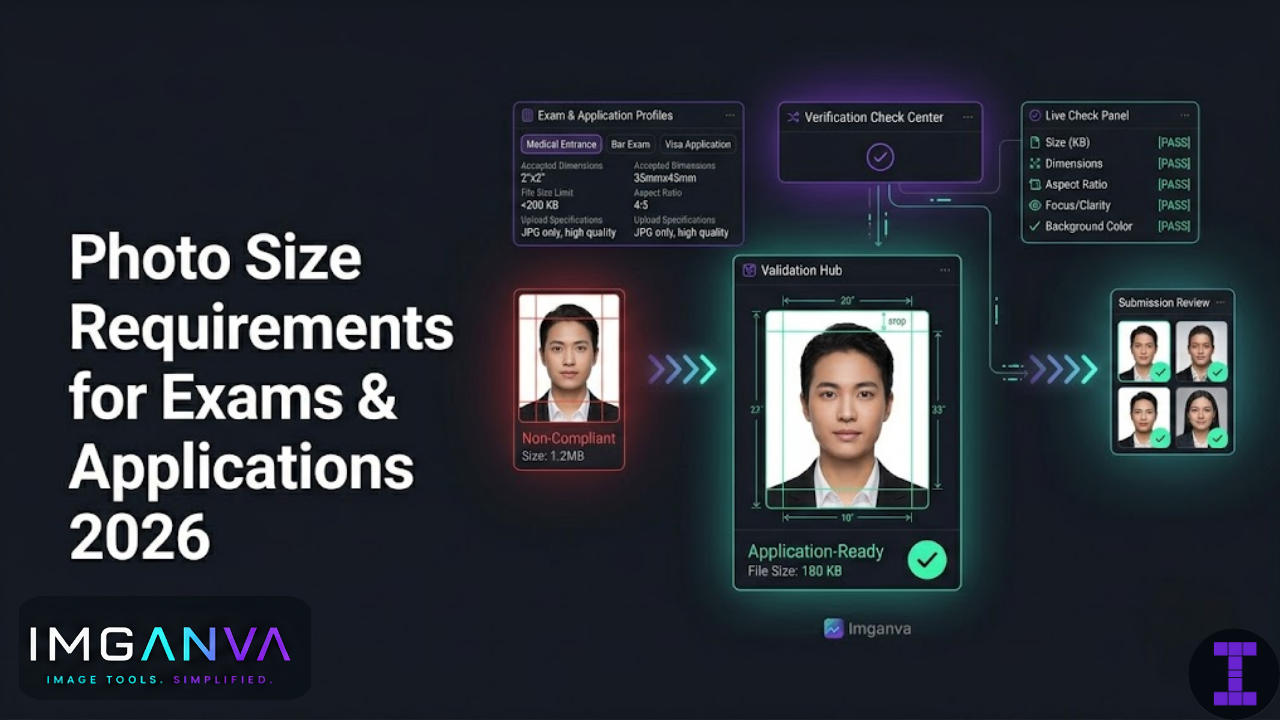

Uploading the wrong photo size is one of the most common reasons applications get rejected before anyone even reads them. The dimensions are off by a few pixels, the file is 50KB over the limit, or the background color isn’t quite right and the form throws an error, or worse, the application goes through and gets flagged later.
This guide covers photo size and format requirements for the most common exams, government documents, and official applications in India and internationally so you can get it right the first time.
Key Takeaways
- Most Indian exam portals accept JPEG photos in the 10KB–200KB range with dimensions around 200×230px to 600×800px
- Passport photos follow strict international standards 35×45mm for India, 2×2 inches (51×51mm) for the US
- File size and pixel dimensions are two different things check both before uploading
- Background color requirements vary: white is safest for most official applications
- Always keep your original high-resolution photo resize and compress copies for each application
- Many portals reject photos silently even after uploading always preview the result
Why Photo Requirements Are So Strict
Official portals aren’t being difficult for no reason. Exam and government systems process millions of applications. They need photos that print clearly on admit cards, ID documents, and records and that can be matched against a face reliably. An oversized photo slows down the system. An undersized one prints blurry. A wrong format may not parse at all.
The requirements also catch people who submit old photos, group photos, or images where the face isn’t clearly visible. The technical limits enforce the practical ones.
Most rejections happen for one of these reasons:
- File size too large (most common)
- Dimensions outside the accepted range
- Wrong file format (TIFF or PNG submitted where only JPEG is accepted)
- Photo not recent, or not a plain passport-style shot
- Background not white or light-colored as required
- Face not centered or too much empty space around the head
Indian Competitive Exam Photo Requirements
UPSC (Civil Services Examination)
UPSC online applications typically require a recent passport-size photograph with a white or light background. The candidate’s name and date of photograph should be written on it if submitting physically; for online upload, the portal specifies exact limits that change slightly each year.
| Requirement | Specification |
|---|---|
| Format | JPEG / JPG |
| File Size | 20KB – 300KB |
| Dimensions | Passport size, typically 200×230px minimum |
| Background | White or off-white |
| Photo Type | Recent, front-facing, no cap or sunglasses |
SSC (Staff Selection Commission)
SSC CGL, CHSL, and other SSC exams use a standardized portal with consistent photo requirements across most exam cycles.
| Requirement | Specification |
|---|---|
| Format | JPEG / JPG |
| File Size | 20KB – 50KB |
| Dimensions | 100×120px to 200×240px |
| Background | White |
| Photo Type | Passport style, recent, no spectacles (as per latest guidelines) |
IBPS and Bank Exams (SBI PO, Clerk, RRB)
IBPS portal requirements are among the most specific in the competitive exam space, with separate size limits for photograph and signature uploads.
| Requirement | Specification |
|---|---|
| Format | JPEG / JPG |
| Photo File Size | 20KB – 50KB |
| Signature File Size | 10KB – 20KB |
| Photo Dimensions | 200×230px (recommended) |
| Background | White |
JEE Main (NTA)
NTA portals handle JEE, NEET, CUET, and several other national-level exams. Requirements are standardized across NTA exams with minor variations per cycle.
| Requirement | Specification |
|---|---|
| Format | JPEG / JPG |
| File Size | 10KB – 200KB |
| Dimensions | 3.5cm × 4.5cm equivalent; typically 350×450px at 100 DPI |
| Background | White or off-white |
| Photo Type | Recent, formal, name and date printed below if possible |
NEET UG
NEET follows NTA’s general upload standards. The photo must clearly show the full face, ears visible, taken against a white or light background. Candidates frequently get rejected for submitting casual photos or selfies a proper passport-style shot taken at a studio is the safest option.
| Requirement | Specification |
|---|---|
| Format | JPEG / JPG |
| File Size | 10KB – 200KB |
| Dimensions | 3.5cm × 4.5cm (standard passport size) |
| Background | White |
CAT (IIM Common Admission Test)
| Requirement | Specification |
|---|---|
| Format | JPEG / JPG |
| File Size | 10KB – 80KB |
| Dimensions | Passport size; face must be clearly visible |
| Background | White or light-colored |
GATE
| Requirement | Specification |
|---|---|
| Format | JPEG / JPG |
| File Size | 5KB – 200KB (photo), 5KB – 100KB (signature) |
| Dimensions | 240×320px minimum recommended |
| Background | White |
RRB (Railway Recruitment Board)
| Requirement | Specification |
|---|---|
| Format | JPEG / JPG |
| File Size | 15KB – 40KB |
| Dimensions | Width: 3.5cm, Height: 4.5cm equivalent |
| Background | White |
Quick Reference: Indian Exam Photo Requirements
| Exam | Format | File Size | Recommended Dimensions | Background |
|---|---|---|---|---|
| UPSC CSE | JPEG | 20KB – 300KB | 200×230px+ | White / off-white |
| SSC CGL / CHSL | JPEG | 20KB – 50KB | 100×120px – 200×240px | White |
| IBPS / SBI PO | JPEG | 20KB – 50KB | 200×230px | White |
| JEE Main (NTA) | JPEG | 10KB – 200KB | 350×450px | White / off-white |
| NEET UG | JPEG | 10KB – 200KB | 350×450px | White |
| CAT | JPEG | 10KB – 80KB | Passport size | White / light |
| GATE | JPEG | 5KB – 200KB | 240×320px+ | White |
| RRB NTPC / Group D | JPEG | 15KB – 40KB | 3.5×4.5cm equivalent | White |
Important: Photo requirements are updated each exam cycle. Always verify against the current official notification for the specific exam and year before applying. The figures above reflect commonly published specifications as of 2025–26 cycles.
Passport Photo Size Requirements by Country
Passport photos are among the most standardized globally but standards still differ by country, and the margin for error is very small. Submitting the wrong size to a visa or passport application can delay processing significantly.
| Country / Document | Physical Size | Digital Resolution | Background | Face Coverage |
|---|---|---|---|---|
| India (Passport) | 35×45mm | 350×450px minimum | White | 70–80% of frame |
| USA (Passport / Visa) | 2×2 inches (51×51mm) | 600×600px minimum | White or off-white | 1–1⅜ inches head height |
| UK (Passport) | 35×45mm | 600×750px or equivalent | Light grey or cream | 29–34mm head height |
| Canada (Passport) | 50×70mm | 420×540px minimum | White | 31–36mm head height |
| Australia (Passport) | 35×45mm | 413×531px minimum | White or off-white | 32–36mm head height |
| Schengen Visa | 35×45mm | 350×450px minimum | White or light grey | 70–80% of frame |
| UAE Visa | 40×60mm | 400×600px minimum | White | Face clearly visible |
Indian Passport Photo Full Requirements
The Passport Seva portal has specific requirements that are consistently enforced. Photos that don’t meet them are flagged at the counter, which means a second trip.
- Size: 35mm × 45mm (physical); for digital upload 350×450 pixels at 100 DPI minimum
- File format: JPEG only
- File size: 10KB to 1MB for online upload
- Background: plain white only
- Face: front-facing, eyes open, neutral expression or slight smile
- No spectacles (updated requirement as of recent cycles)
- No head coverings except for religious reasons
- Ears must be visible
- No shadows on face or background
- Photo must be recent within 6 months typically
US Passport / Visa Photo Requirements
- Size: 2×2 inches (51×51mm square)
- Head height: between 1 inch and 1⅜ inches from chin to top of head
- Background: plain white or off-white
- Digital submission: minimum 600×600px, JPEG format
- File size: under 240KB for State Department online tools
- No filters, no glasses (updated US requirement since 2023)
- Neutral expression, both eyes open and clearly visible
Visa Application Photo Requirements
Schengen Visa (European Union)
Schengen visa applications follow ICAO (International Civil Aviation Organization) biometric photo standards. These are fairly strict and enforced at embassies.
- 35×45mm physical size
- Taken within the last 6 months
- White or very light grey background
- Both eyes open, looking directly at camera
- Neutral expression
- No glasses
- Face must cover 70–80% of the frame
- No shadows on face or behind
UK Visa
- 45mm × 35mm (height × width)
- Cream or light grey background preferred
- Taken within last month
- Both eyes open, facing forward
- Head height: 29–34mm
Canada Visa and Immigration
- 50mm × 70mm (width × height)
- White background
- Taken within last 6 months
- Face must take up 31–36mm of the frame height
- Neutral expression, mouth closed
Government Document Photo Requirements (India)
Aadhaar Card
Aadhaar enrollment and update photos are captured at enrollment centers using dedicated biometric equipment you don’t upload these yourself. If you’re updating your photo, visit an Aadhaar Seva Kendra; the photo is taken there. For online services requiring an Aadhaar-linked photo, the specifications come from the individual portal.
PAN Card
| Requirement | Specification |
|---|---|
| Physical size (printed) | 3.5cm × 2.5cm |
| Digital format | JPEG |
| File size (online application) | 20KB – 100KB |
| Background | White |
Voter ID (EPIC)
Voter ID applications submitted through the Voter Helpline portal or Election Commission portal require:
- JPEG format
- File size: under 1MB for online submissions
- Recent passport-style photo
- Plain background
Driving Licence (Sarathi Portal)
- JPEG format
- File size: typically under 100KB for online upload
- Passport-size photo, white background
- Requirements may vary slightly by state RTO
Digital Dimensions vs Physical Size: Understanding the Difference
This trips up a lot of people. When a requirement says “35×45mm,” that’s a physical print size. When it says “350×450 pixels,” that’s a digital dimension. These relate to each other through DPI (dots per inch) the resolution at which the image will be printed.
The formula is simple:
Pixel dimension = Physical size (in inches) × DPI
A 35×45mm photo printed at 100 DPI:
- 35mm = 1.38 inches → 1.38 × 100 = 138 pixels wide
- 45mm = 1.77 inches → 1.77 × 100 = 177 pixels tall
The same photo at 300 DPI (print quality):
- 35mm → 413 pixels wide
- 45mm → 531 pixels tall
For most online application portals in India, 100 DPI is sufficient the minimums they specify (like 350×450px) correspond to roughly 100 DPI at passport size. If you’re getting a photo printed, 300 DPI is the standard.
| Physical Size | At 72 DPI | At 100 DPI | At 300 DPI |
|---|---|---|---|
| 35×45mm (India / UK passport) | 99×128px | 138×177px | 413×531px |
| 2×2 inch (US passport) | 144×144px | 200×200px | 600×600px |
| 50×70mm (Canada) | 142×198px | 197×276px | 591×827px |
| 40×60mm (UAE) | 113×170px | 157×236px | 472×709px |
File Size vs Dimensions: Two Different Things
File size (in KB or MB) and image dimensions (in pixels) are not the same thing, and portals check both independently. You can have a small 200×230px photo that’s 400KB too large for most portals. You can also have a large 1200×1500px photo that’s only 80KB if heavily compressed. Neither might be accepted.
To meet both requirements:
- Resize the photo to the specified pixel dimensions first
- Then compress to fit within the file size limit
Trying to do it the other way compressing first, then resizing often produces worse results because you’re compressing already-degraded data and then scaling it.
Imganva’s image resizer lets you set exact pixel dimensions, and the image compressor can then bring the file size within the required limit without manual guesswork.
Common Reasons Photo Uploads Get Rejected
| Reason | How to Fix |
|---|---|
| File size too large | Compress to within the specified limit; don’t just resize |
| Wrong file format (PNG, HEIC, etc.) | Convert to JPEG before uploading |
| Dimensions outside accepted range | Resize to the exact pixel dimensions required |
| Background not white | Retake photo or use a background removal/change tool |
| Photo too old | Retake; most applications require photo within 6 months |
| Face not centered or too small | Crop so face occupies 70–80% of the frame height |
| Sunglasses or cap visible | Retake without accessories |
| HEIC format (iPhone default) | Change iPhone camera settings to JPEG, or convert after shooting |
iPhone Users: Change to JPEG First
iPhones save photos in HEIC format by default. Most Indian exam portals and government forms accept only JPEG. The easiest fix: go to Settings → Camera → Formats → select “Most Compatible” this switches the camera to JPEG. If you already have HEIC photos, you’ll need to convert them before uploading. Imganva’s image converter handles HEIC to JPEG conversion directly in the browser.
How to Resize and Compress a Photo for Exam Upload: Step by Step
- Start with the official notification. Find the exact pixel dimensions and file size limit for the specific exam. These change between cycles and portals.
- Use a recent passport-style photo. Plain white background, face clearly visible, taken within the last few months.
- Check the format. If your photo is HEIC, PNG, or any format other than JPEG, convert it first.
- Resize to the target dimensions. Use the exact pixel dimensions specified not “about the same size.” If the portal says 200×230px, set exactly that.
- Compress to fit the file size limit. Most portals have an upper limit (like 50KB or 200KB). After resizing, compress the JPEG to fall comfortably within that range not at the very edge.
- Preview before uploading. Open the resized file and check it looks sharp and the face is clearly visible. A photo that’s been over-compressed to meet a tight size limit may look blurry.
- Upload and preview the portal’s result. Most portals show a preview after upload. Check that the photo displays correctly before submitting the application.
Frequently Asked Questions
What is the standard passport photo size in India?
The standard size is 35mm × 45mm (width × height) for physical prints. For digital upload on the Passport Seva portal, the minimum is typically 350×450 pixels in JPEG format with a white background. The face should occupy roughly 70–80% of the frame.
What size photo is required for UPSC application?
UPSC online applications typically require a JPEG photograph between 20KB and 300KB in file size, at a minimum of 200×230 pixels, with a white or off-white background. The exact requirements are published in the official notification for each exam cycle always check that before applying.
Can I upload a PNG photo for exam applications?
Most Indian exam portals including NTA (JEE, NEET), SSC, IBPS, and UPSC accept only JPEG format. Uploading a PNG may result in an error or silent rejection. Convert your photo to JPEG before uploading if it’s in any other format.
Why does my photo upload show an error even though the size looks correct?
Portals check both file size (in KB) and pixel dimensions. Your photo might be the right file size but wrong dimensions, or the right dimensions but too large in file size. Check both separately. Also check that the format is exactly JPEG some tools save files with a .jpg extension that are actually PNG internally.
What background color should a passport photo have?
White is the standard for Indian passports, most Indian exam portals, US passports, Schengen visas, and UAE visas. The UK accepts light grey or cream. Canada requires white. When in doubt, white is the safest choice it’s accepted everywhere that doesn’t explicitly specify otherwise.
How do I resize a photo to exact pixels without distorting it?
Resize to the target dimensions while maintaining the aspect ratio where possible, then crop to fit if needed. Most exam photo size ratios are close to 4:5 or 3:4 (width:height). If your photo’s current ratio doesn’t match, crop from the edges rather than stretching stretching distorts faces. Imganva’s image resizer lets you set exact dimensions and handles this directly.
What size photo is needed for a US visa application?
US visa and passport photos must be 2×2 inches (51×51mm) square. For digital submission, the minimum is 600×600 pixels in JPEG format, under 240KB. The head should measure between 1 inch and 1⅜ inches from chin to top within the frame. Background must be white or off-white with no patterns.
Is it okay to use a selfie for exam photo upload?
Generally no. Most official portals require a passport-style photograph plain background, front-facing, taken with proper lighting. Selfies often have angled perspectives, inconsistent backgrounds, and lighting that creates shadows on the face. A photo taken at a studio or with proper setup against a white wall is much safer for official submissions.
Summary
Photo upload failures are almost always preventable. The requirements aren’t arbitrary they exist to ensure documents print clearly and faces can be matched accurately. The practical checklist before any exam or application photo upload: confirm the format is JPEG, resize to the exact pixel dimensions specified, compress to within the file size limit, and check that the background is white and the face is clearly centered.
For Indian exam applications, JPEG between 20–200KB at roughly 200×230px to 350×450px covers most portals. Passport and visa photos follow the physical size standards for the specific country 35×45mm for India, 51×51mm square for the US. iPhone users should switch their camera to JPEG format or convert HEIC files before uploading.
If your photo needs resizing, Imganva’s image resizer lets you set exact pixel dimensions. If the file is still too large after resizing, the image compressor brings it within the required limit. For HEIC or PNG files that need to be converted to JPEG, the image converter handles that in a few seconds no software needed.