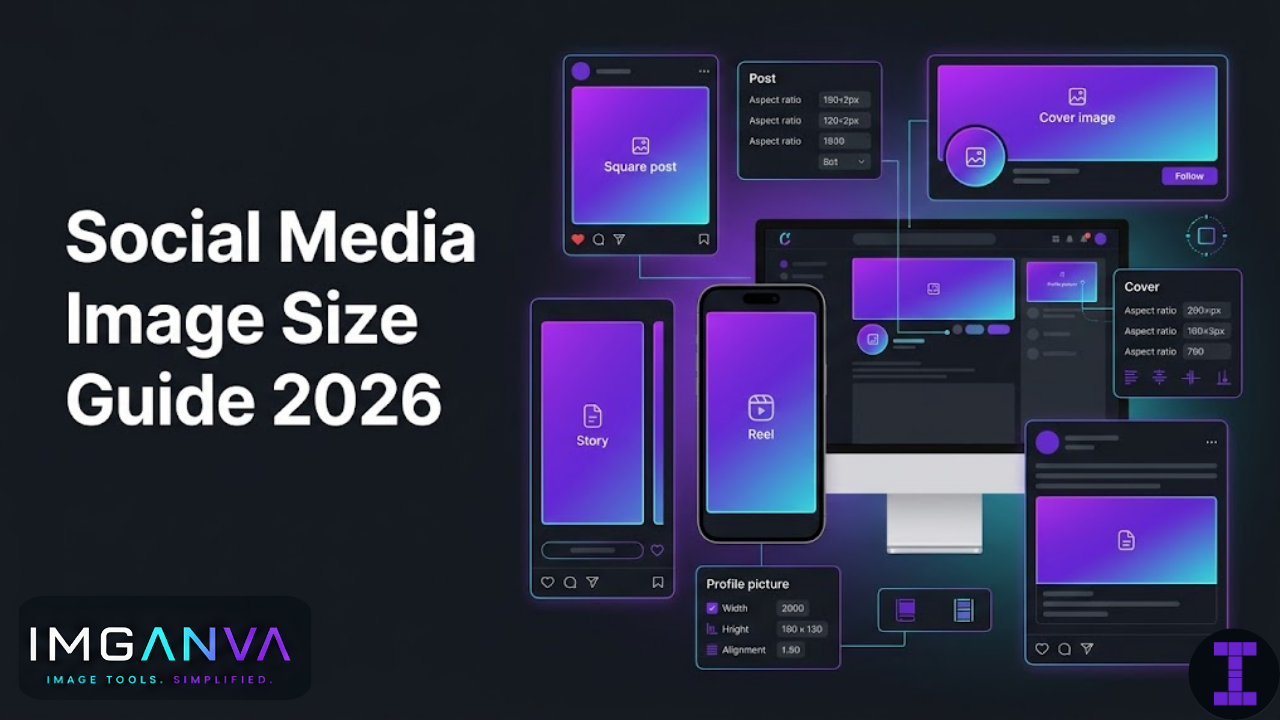

Social platforms resize and recompress every image you upload. If you don’t start with the right dimensions, the platform decides how to crop and compress it and that rarely goes the way you want. A profile picture that looks sharp on your screen becomes a blurry circle. A carefully designed banner gets cropped at the edges on mobile.
This guide covers the current recommended image sizes for every major platform in 2026 profile photos, cover images, post formats, stories, and ads so you know exactly what to use before you upload.
Key Takeaways
- Each platform has different size requirements using one universal size for everything doesn’t work well
- Always design at the recommended size, not the minimum platforms display at various sizes across devices
- Platforms recompress images on upload start with a high-quality source and keep originals
- Safe zones matter for profile photos (circular crop) and banners (mobile vs desktop differences)
- Feed images and stories have different aspect ratios design them separately
- For ads, exact pixel dimensions affect delivery quality and cost efficiency
Why Image Sizes Differ Across Platforms
Every platform optimizes for its own layout, device mix, and loading speed. Instagram is mobile-first with square and vertical formats. LinkedIn is desktop-heavy with horizontal banners. YouTube thumbnails get displayed at wildly different sizes from a search result to a TV screen. Pinterest is built for tall vertical images.
Beyond layout, each platform applies its own compression on upload. Facebook and Instagram are particularly aggressive about this they’ll compress a 5MB JPEG down to under 200KB, and the quality depends heavily on whether you started with the right dimensions. Uploading at exactly the recommended size means the platform doesn’t need to rescale before compressing, which gives you noticeably better output quality.
The other trap is safe zones. Profile photos get cropped to circles. Banner images get cropped differently on mobile versus desktop. If your logo or key text sits in a corner, it may get cut off on half the devices your audience uses.
Instagram Image Sizes 2026
| Format | Recommended Size | Aspect Ratio | Max File Size |
|---|---|---|---|
| Profile Photo | 320×320px | 1:1 | — |
| Square Post | 1080×1080px | 1:1 | 30MB |
| Portrait Post | 1080×1350px | 4:5 | 30MB |
| Landscape Post | 1080×566px | 1.91:1 | 30MB |
| Stories | 1080×1920px | 9:16 | 30MB |
| Reels Cover | 1080×1920px | 9:16 | — |
| Carousel Post (each slide) | 1080×1080px | 1:1 | 30MB per image |
Instagram-Specific Notes
- Profile photo displays as a circle keep important content centered, away from corners
- Portrait (4:5) takes up more screen space in the feed it performs well for engagement because it occupies more vertical real estate
- Stories safe zone: keep text and logos between 250px from the top and 400px from the bottom interface elements (profile name, reply bar) overlap those areas
- Instagram compresses JPEGs on upload use JPEG at quality 85+ or PNG for graphics with text
- Carousel slides should all use the same aspect ratio mixing square and portrait within one carousel causes cropping inconsistencies
Facebook Image Sizes 2026
| Format | Recommended Size | Aspect Ratio | Notes |
|---|---|---|---|
| Profile Photo | 170×170px (display) / upload 720×720px | 1:1 | Cropped to circle |
| Cover Photo (Personal) | 851×315px | 2.7:1 | 820×312px on desktop, 640×360px on mobile |
| Cover Photo (Page) | 820×312px | 2.63:1 | Displays differently on mobile |
| Shared Image (Feed) | 1200×630px | 1.91:1 | Most common for link previews |
| Square Post | 1080×1080px | 1:1 | Better mobile display |
| Stories | 1080×1920px | 9:16 | Same as Instagram Stories |
| Event Cover | 1920×1005px | ~1.91:1 | — |
| Group Cover Photo | 1640×856px | 1.91:1 | — |
Facebook Cover Photo Safe Zone
Facebook cover photos display at different dimensions on desktop and mobile. Desktop shows 820×312px; mobile shows 640×360px which means the sides get cropped on mobile. Keep critical content (logos, text, faces) within a centered 563×312px area to ensure it’s visible on both. Avoid putting important text at the left and right edges of cover photos.
Twitter / X Image Sizes 2026
| Format | Recommended Size | Aspect Ratio | Notes |
|---|---|---|---|
| Profile Photo | 400×400px | 1:1 | Displayed as circle at 200×200px |
| Header / Banner | 1500×500px | 3:1 | Profile photo overlaps bottom-left corner |
| In-Feed Image (single) | 1600×900px | 16:9 | Displayed at 1200×675px |
| In-Feed Image (2 images) | 1200×675px each | 16:9 | Side by side display |
| In-Feed Image (3 images) | 1200×675px (first), 600×1200px (2nd and 3rd) | Mixed | First image left, two stacked right |
| In-Feed Image (4 images) | 1200×675px each | 16:9 | 2×2 grid layout |
Twitter / X Notes
- Header banner: the profile photo occupies the bottom-left corner keep logos and text away from that zone
- Single images in feed are cropped to 16:9 in the timeline but expand to full size when clicked
- X compresses images noticeably uploading PNG for graphics with text or logos generally gives better results than JPEG on this platform
- Max file size: 5MB for photos, 15MB for GIFs
LinkedIn Image Sizes 2026
| Format | Recommended Size | Aspect Ratio | Notes |
|---|---|---|---|
| Personal Profile Photo | 400×400px (up to 7680×4320px) | 1:1 | Displayed as circle |
| Personal Background Banner | 1584×396px | 4:1 | — |
| Company Page Logo | 300×300px | 1:1 | Min 300×300px |
| Company Cover Image | 1128×191px | ~5.9:1 | Very wide ratio design accordingly |
| Shared Image / Post | 1200×627px | 1.91:1 | Standard feed post image |
| Blog Post Link Image | 1200×627px | 1.91:1 | Pulled from Open Graph metadata |
| Stories (LinkedIn) | 1080×1920px | 9:16 | — |
| Showcase Page Logo | 300×300px | 1:1 | — |
LinkedIn Notes
- LinkedIn is desktop-heavy banner images get more visible real estate here than on other platforms
- Company cover image ratio (1128×191px) is very wide and narrow avoid putting faces or critical content at the extreme left/right edges
- Feed images at 1200×627px display well without cropping on both desktop and mobile
- LinkedIn’s image compression is less aggressive than Facebook or Instagram PNG uploads for infographics and charts retain quality well
- Max file size for images: 8MB
YouTube Image Sizes 2026
| Format | Recommended Size | Aspect Ratio | Notes |
|---|---|---|---|
| Channel Profile Photo | 800×800px | 1:1 | Displays as circle across Google properties |
| Channel Art / Banner | 2560×1440px | 16:9 | Safe zone: 1546×423px centered |
| Video Thumbnail | 1280×720px | 16:9 | Min 640×360px; max 2MB; JPEG, GIF, PNG, BMP |
| End Screen Elements | 1280×720px | 16:9 | — |
| Community Post Image | 1080×1080px | 1:1 | Square or landscape both work |
YouTube Channel Art Safe Zone
YouTube channel art is displayed across TV, desktop, tablet, and mobile each crops the banner differently. The safe zone approach:
- TV display: shows the full 2560×1440px image
- Desktop: shows a centered 2560×423px strip
- Mobile: shows approximately 1546×423px centered
- Safe zone for all devices: keep key content within the central 1546×423px area
YouTube Thumbnail Best Practices
Thumbnails appear at wildly different sizes from a 40px circle on a mobile notification to full-screen on a TV. Design thumbnails so they read at small sizes: high contrast, large readable text (if used), and a clear focal point. At 1280×720px, you have enough resolution for any display size YouTube uses.
Pinterest Image Sizes 2026
| Format | Recommended Size | Aspect Ratio | Notes |
|---|---|---|---|
| Profile Photo | 165×165px | 1:1 | Displayed as circle |
| Standard Pin | 1000×1500px | 2:3 | Optimal vertical format for feed |
| Square Pin | 1000×1000px | 1:1 | Less feed space than 2:3 |
| Infographic Pin | 1000×3000px | 1:3 | Max height ratio 1:5 |
| Story Pin | 1080×1920px | 9:16 | — |
| Board Cover | 800×450px | 16:9 | — |
Pinterest Notes
- Pinterest is built around vertical images the 2:3 ratio (1000×1500px) is the sweet spot for feed visibility
- Pins taller than a 1:5 ratio get truncated in the feed with a “see more” prompt
- High-quality, visually clear images perform significantly better on Pinterest than compressed or text-heavy designs
- JPEG works fine for photos; PNG is better for graphics, infographics, and pins with text overlays
TikTok Image Sizes 2026
| Format | Recommended Size | Aspect Ratio | Notes |
|---|---|---|---|
| Profile Photo | 200×200px minimum | 1:1 | Displayed as circle |
| In-Feed Photo Post | 1080×1920px | 9:16 | Vertical full-screen format |
| Photo Slideshow (each image) | 1080×1920px | 9:16 | Or 1080×1080px for square |
Snapchat Image Sizes 2026
| Format | Recommended Size | Aspect Ratio | Notes |
|---|---|---|---|
| Snap / Story Image | 1080×1920px | 9:16 | Full vertical screen |
| Ad Image | 1080×1920px | 9:16 | — |
WhatsApp & Messaging Apps 2026
| Platform | Profile Photo Size | Shared Image | Notes |
|---|---|---|---|
| 500×500px | Up to 5MB / 16MB video | Compresses on send; use JPEG under 1MB for best quality | |
| Telegram | 640×640px | Up to 10MB | Less aggressive compression than WhatsApp |
Quick Reference: All Platforms at a Glance
| Platform | Profile Photo | Cover / Banner | Standard Post | Stories / Vertical |
|---|---|---|---|---|
| 320×320px | — | 1080×1080px | 1080×1920px | |
| 170×170px | 851×315px | 1200×630px | 1080×1920px | |
| Twitter / X | 400×400px | 1500×500px | 1600×900px | — |
| 400×400px | 1584×396px | 1200×627px | 1080×1920px | |
| YouTube | 800×800px | 2560×1440px | 1280×720px (thumbnail) | — |
| 165×165px | 800×450px | 1000×1500px | 1080×1920px | |
| TikTok | 200×200px | — | 1080×1920px | 1080×1920px |
| Snapchat | — | — | 1080×1920px | 1080×1920px |
Social Media Ad Image Sizes 2026
Ad images have stricter requirements than organic posts. Platforms enforce these more rigidly because incorrect ad dimensions affect placement, billing, and delivery performance.
| Platform | Ad Format | Recommended Size | Aspect Ratio | Max File Size |
|---|---|---|---|---|
| Feed Ad | 1200×628px | 1.91:1 | 30MB | |
| Square Ad | 1080×1080px | 1:1 | 30MB | |
| Stories Ad | 1080×1920px | 9:16 | 30MB | |
| Feed Ad | 1080×1080px or 1080×1350px | 1:1 or 4:5 | 30MB | |
| Stories Ad | 1080×1920px | 9:16 | 30MB | |
| Sponsored Content | 1200×627px | 1.91:1 | 5MB | |
| Square Sponsored Content | 1200×1200px | 1:1 | 5MB | |
| Twitter / X | Promoted Tweet Image | 1200×675px | 16:9 | 5MB |
| Promoted Pin | 1000×1500px | 2:3 | 10MB |
Aspect Ratios Explained
Aspect ratio is the width-to-height relationship of an image. Understanding a few key ratios makes it much easier to design for multiple platforms without constant guesswork.
| Aspect Ratio | Shape | Common Use | Example Size |
|---|---|---|---|
| 1:1 | Square | Instagram posts, profile photos, Facebook feed | 1080×1080px |
| 4:5 | Tall portrait | Instagram portrait posts, Facebook feed | 1080×1350px |
| 9:16 | Full vertical | Stories (all platforms), TikTok, Reels | 1080×1920px |
| 16:9 | Widescreen horizontal | YouTube thumbnails, Twitter feed, landscape posts | 1280×720px |
| 1.91:1 | Wide landscape | Facebook shared links, LinkedIn posts, ad units | 1200×628px |
| 2:3 | Tall portrait | Pinterest standard pins | 1000×1500px |
| 3:1 | Very wide banner | Twitter/X header | 1500×500px |
How Platforms Recompress Your Images
Every major social platform runs uploaded images through its own compression pipeline. Understanding this helps you make smarter choices about what you upload.
Instagram and Facebook are the most aggressive compressors. They target specific file sizes regardless of your upload quality. For photos, JPEG at quality 85–90 uploaded at exact recommended dimensions gives the best result after their compression. For graphics with text, PNG uploads sometimes preserve sharpness better than JPEG on these platforms.
Twitter / X converts all uploads to JPEG (including PNGs) unless the image has transparency. For logos or graphics with text, the conversion can be visibly harmful. A workaround: add a single transparent pixel to a PNG some versions of the Twitter platform preserve PNG format in that case, though this is not guaranteed.
LinkedIn is comparatively gentle with compression, especially for PNG. Infographics and charts uploaded as PNG generally retain legibility well.
YouTube thumbnails are stored and served at their original quality more faithfully than most other platforms. Upload at 1280×720px JPEG at quality 90+ for the best result.
Pinterest compresses images but less aggressively than Meta platforms. High-resolution vertical images (1000×1500px or taller) uploaded as JPEG at 80–85 quality typically look clean in the feed.
The general rule: upload at the recommended pixel dimensions, use JPEG at 85+ quality for photos, and use PNG for anything containing text, logos, or sharp graphics. Resize your images to the exact dimensions before uploading Imganva’s image resizer lets you set exact pixel dimensions for any platform. If the file is too large after resizing, the image compressor brings it within the required limit without guesswork.
Profile Photo Tips for Every Platform
Profile photos are circular on almost every platform Instagram, Facebook, Twitter/X, LinkedIn, YouTube, TikTok. The image you upload is square, but the display is round. This catches people out regularly.
- Keep your logo or face centered in the frame with clear space on all sides
- Avoid putting any text near the corners it will be cropped out in the circular display
- For brand logos, use a square version of the logo with adequate padding from the edges
- A white or solid-color background works better than a complex scene the small display size means detail gets lost
- Upload at the highest recommended size even if the minimum is lower platforms display profile photos at multiple sizes across different surfaces
Common Mistakes to Avoid
| Mistake | What Happens | Fix |
|---|---|---|
| Uploading at wrong aspect ratio | Platform auto-crops, often poorly | Resize to exact recommended dimensions before uploading |
| Text at the edges of cover images | Gets cropped on mobile | Keep all critical content in the safe zone |
| Using one image size for all platforms | Looks wrong on most of them | Create platform-specific versions |
| Uploading oversized files | Slower upload; platform compresses more aggressively | Compress to a reasonable size before uploading |
| Logo in corner of profile photo | Cropped by circular mask | Center all important elements |
| Low-resolution uploads “to save time” | Looks blurry on retina / high-DPI screens | Use recommended dimensions; don’t go below minimums |
| HEIC uploads on mobile | Some platforms reject or mishandle HEIC | Convert to JPEG before uploading |
Frequently Asked Questions
What is the best image size for Instagram posts in 2026?
For square posts, 1080×1080px is the standard. Portrait posts (1080×1350px at 4:5 ratio) take up more screen space in the feed and typically get more engagement. Landscape posts can use 1080×566px. For Stories and Reels covers, 1080×1920px is the standard vertical format.
What size should a Facebook cover photo be?
851×315px for personal profiles. The challenge is that mobile crops the sides the safe display area across both desktop and mobile is roughly 563×312px centered. Keep logos and text within that central zone to ensure they’re visible on all devices.
Why do my images look blurry after uploading to social media?
The most common cause is uploading at the wrong dimensions. When you upload an image that doesn’t match the platform’s expected size, the platform rescales it and the rescaling plus their compression compounds quality loss. Upload at the exact recommended pixel dimensions for each placement. If you’re uploading a photo and it still looks soft, try increasing JPEG quality to 90+ before uploading.
What aspect ratio should I use for Instagram Stories?
9:16, which translates to 1080×1920px. This fills the full mobile screen vertically. Keep interactive elements and text within the middle portion of the frame the top and bottom edges overlap with the profile name and reply bar in the Instagram interface.
Can I use the same image for all social media platforms?
You can, but the results will be inconsistent. Different platforms use different aspect ratios, safe zones, and display contexts. A 1200×630px image looks fine on Facebook as a link preview, but on Instagram it gets cropped awkwardly. For a professional look across platforms, resize to each platform’s recommended dimensions separately.
What image format works best for social media uploads?
JPEG at quality 85–90 for photos. PNG for graphics, logos, and anything containing text. Most platforms accept both, but JPEG handles photos more efficiently and PNG preserves sharpness better for flat-color graphics. Avoid uploading HEIC files from iPhone convert to JPEG first using Imganva’s image converter.
What is a safe zone for social media images?
A safe zone is the area of an image guaranteed to be visible across all device types. Platforms like YouTube (channel art) and Facebook (cover photos) display the same image at different crops on desktop, mobile, and TV. Anything outside the safe zone risks being cut off. The general approach is to keep key content logos, faces, text centered and away from the outer 10–15% of the image edges.
How do I resize an image for social media without distorting it?
Resize by maintaining aspect ratio first, then crop to the target dimensions don’t stretch. If you need to go from a 16:9 photo to a 1:1 Instagram post, crop the sides rather than squashing the entire image. Imganva’s image resizer lets you set exact pixel dimensions for any social platform.
Summary
Getting social media image sizes right comes down to three habits: always resize to the exact recommended dimensions before uploading, keep critical content within the safe zone for banners and profile photos, and use JPEG for photos while reserving PNG for graphics with text or sharp edges. Most blurry or awkwardly cropped social images come from skipping the resize step and letting the platform do it instead.
The sizes in this guide reflect current platform recommendations as of 2026, but platforms update their specifications periodically it’s worth checking official help pages when launching a new campaign or refreshing brand assets. For day-to-day resizing, Imganva’s image resizer handles exact pixel dimensions for any platform format, and the image compressor keeps file sizes within upload limits without sacrificing visible quality.